Safe online together
Children use technology in our early years setting carefully, purposefully, and always with adult supervision. Children need to learn how to go online safely. To do this, they need home and school to have a strong, active partnership.
Jump to:
- How We Use Technology in School
- Four Rules for Children & Rules for Parents
- Staying Connected & Managing Home Routines
- Content, Smart Tech & Financial Habits
- Get Help and support
10-minute read (estimate), so do a chunk at a time?
Try listening?!
android: this Microsoft support page tells you how
iphone: this page apple support page tells you how
1. How We Use Technology in School
Children and staff don't go online very often in school. When we do, we use technology thoughtfully to support early learning and follow up on children's curiosity:
- Always with a Grown-Up: Children never browse the internet freely, scroll through open video platforms, or use devices unsupervised. Every digital activity is fully guided by a staff member.
- Daily LGfL Firewall Protection: All school internet connections are filtered by the London Grid for Learning (LGfL) firewall, which updates at least daily to block inappropriate, harmful, or illegal material.
- Handling Unexpected Content: Very rarely, something upsetting can bypass even the strongest firewall. While schools cannot be held responsible for the nature of unexpected web content, we promise to support your child immediately, calmly, and reassuringly if this ever occurs.
- Mobile-Free Zones & Photo Security: To protect every child’s privacy, personal mobile phones, smartwatches, and smart recording devices are strictly banned in playrooms and outdoor areas. All observations and learning photos are taken exclusively on school-owned tablets.
- No Trackers at School: Apple AirTags (or similar tracking devices) are strictly prohibited at nursery. Tagging children can accidentally track another child, creating safeguarding risks, and breaks the manufacturer's terms of service.
- Our Staff AI Rules: At nursery, the children do not go online independently, but our staff do. We think carefully before using AI, fact-check all information, and are always transparent about when technology has assisted us.
2. Four Rules for Children & Rules for Parents
Setting early expectations helps build lifelong digital safety habits.
Four Simple Rules for Your Child
- I only go online with a grown-up.
- I am kind online.
- I keep my personal details (name, home, family) safe and private.
- I tell a grown-up when something makes me happy, sad, or scared.
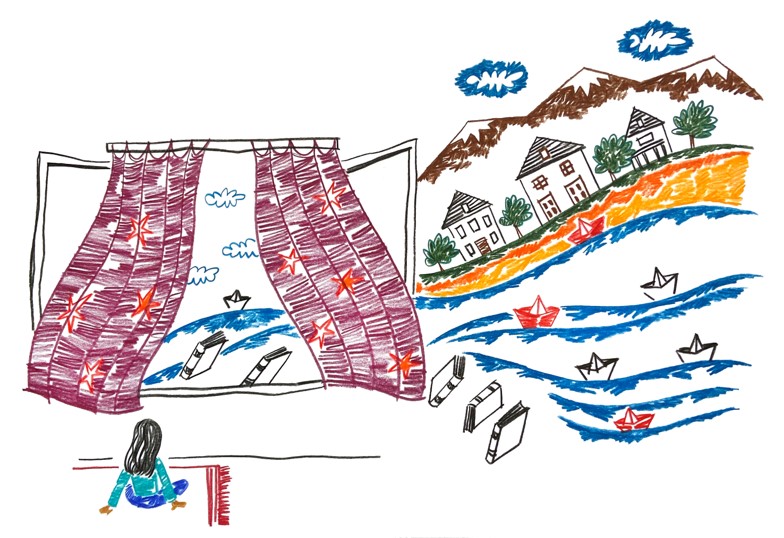
📖 Read together: Hanni and the Magic Window (Great for age 3+) (click on the image to open the book)
Four Rules for Parents & Carers
- Model Good Habits: Children copy what you do, not just what you say. Show them healthy digital boundaries in your daily life.
- Keep It Kind: Treat people (real or virtual) online or on screens the same way you would face-to-face.
- Think Before You Share: Never post nude, bath-time, or beach photos of your child online. Always get permission before sharing photos of anyone—child or adult. Charity Save the Children has more on this.
- Respectful Community Boundaries: Please never use public social media, review sites, or informal parent messaging groups (like WhatsApp chats) to name, criticise, or raise complaints about individual children, families, or staff.
3. Staying Connected & Managing Home Routines
Remote Learning & ClassDojo Calls
We use ClassDojo as our online classroom to share activities and celebrations. If the school ever closes temporarily and remote learning takes place via video calls:
- Ensure your child is fully dressed.
- Blur or change your screen background where possible.
- Set up calls in shared family spaces rather than bedrooms. If a bedroom is unavoidable, ensure your child is not in bed and that the camera points away from beds and personal items.
Private Online Tuition You Arrange
- Check that the tutor is registered, safe and reliable:
- Take references.
- Ask to see their DBS (criminal record) check.
- Check the safety features on the platform they want to use.
- Stay in the room.
Be clear with your child:
- You always arrange the next session. They say no to new sessions or chats that the tutor suggests.
- No private messages with tutors.
- Tutors are teachers, not friends. The tutor shouldn't either tell them or ask them for personal information.
- The only OK secret is a surprise. Everyone shares a surprise when the time is right. Secret surprises are OK. Secrets they can't share are not OK. Be clear with your child. They tell you if anyone ever says something is a secret they can't tell.
Home networks are much less secure than school ones. Content & Tools below tells you how to protect your family.
Managing Screen Time & Transitions
- Avoid Screen Distractions: Try not to use devices solely to quieten a child or beat boredom in cars and waiting rooms. Learning to sit with tough emotions builds emotional resilience.
- Agree Rules First: Decide when, where, and how long screens can be used before the device turns on. Write down what you agree.
- Plan the Next Step: Tell your child what is coming after screen time. Use a quick, fun game to bridge the gap (e.g., go through the alphabet and name a food that starts with each letter).
- Give Bits of Control: Give one or two countdown alerts before time is up. Let your child press the power button to end screen time or choose the next activity.
- Resist Pester Power: Say no to apps or games designed for older children and explain why.
Device-Free Spaces & Nights
- Device-Free Zones: Extend our "Phone-Free School" policy into your home. Keep phones away from the dinner table and restrict screens to shared family areas.
- Device-Free Nights: Put devices "to bed" in a designated box overnight and switch off home Wi-Fi at the same time each evening to ensure restful sleep.
4. Content, Smart Tech & Financial Habits
Safe Content & Supervision
Choose Slower Options: Opt for slower, educational apps that keep children active rather than content designed solely to hook young minds.
Check Ratings:
- films/TV: use BBFC
- games:PEGI
- Check age and content suitability and on Common Sense Media
Supervise YouTube: Use CBeebies, CBBC iPlayer Kids, or YouTube Kids. Never leave a child alone with YouTube open.
Lock Down Devices:
- Set up parental controls on your home Wi-Fi and devices using guides on the Internet Matters website.
- Block pop-ups via browser settings and enable SafeSearch on Google Chrome and Microsoft Bing.
Talking, Smart Toys & AI
- Talk A Lot: Talk to your child on the street, waiting for the bus, or washing up. Continuous conversation builds language skills and makes communication a habit (they don't always have to answer!).
- Watch Together: Co-viewing drops risks, builds shared interests, and gives you more to talk about.
- Discuss What’s Real: Start discussing the difference between what is real and what is made-up or AI-generated on screens. It is completely OK to admit when you cannot tell! The NSPCC has ideas of how to do this.
- Beware Smart Toys & AI: Check user manuals for connected toys or voice assistants to find out how to delete personal data. Mute microphones when not in use to prevent family conversations from being recorded.
Money & Digital Spending
Real-World Money First: Play shop with real coins, compare prices at the supermarket, and help your child save up physically. This helps young children understand that digital spending has real-world financial consequences.
Need to know more?
- Advice, ideas & controls: Internet Matters, NSPCC, Parent Zone, UK Safer Internet, LGfL, or ParentSafe.
- What don’t you know? Virgin Media online safety test
🔍 5. Get Help and support
If you suspect your child has seen something upsetting online, or if you have any safeguarding concerns:
- Keep Evidence: Take a screenshot or save the details rather than deleting them straight away.
- Speak to Us Directly: Contact your child's room leader or our Designated Safeguarding Lead (DSL) so we can support you and your child confidentially. See who they are on our safeguarding page.
You can also do this:
- Emergency or Safety Concerns: report directly to CEOP (Child Exploitation and Online Protection).
- London Grid for learning list helplines for specific situations.
This page is the result of magpied conversations with many families over many years and ideas from all over the place, including an article by Steven Howard from the University of Oxford. Gemini AI helped cut it down to size.